> For the complete documentation index, see [llms.txt](https://laernos.gitbook.io/ps-moderator-guide/llms.txt). Markdown versions of documentation pages are available by appending `.md` to page URLs; this page is available as [Markdown](https://laernos.gitbook.io/ps-moderator-guide/systems/bots.md).
# Bots
## What are bots?
> Bots automate many moderation systems on our behalf. In our server, bots are categorized.
## Bot Categories
{% tabs %}
{% tab title="🚨Moderator Bot" %}
> 🚨 These bots typically have admin permissions and perform moderation tasks automatically, similar to an auto-moderator.
* [MEE6#4876](https://mee6.xyz/)
* [YAGPDB.xyz#8760](https://yagpdb.xyz/)
* [Dyno#3861](https://dyno.gg/)
* [Carl-bot#1536](https://carl.gg/)
* [Auttaja#5453](https://auttaja.io/)
* [Wick#3938](https://wickbot.com/)
* [ProBot ✨#5803](https://probot.io/)
* [Prism#5621](https://top.gg/bot/673918978178940951)
* [Veucci#3236](https://top.gg/bot/721088051664912570)
{% endtab %}
{% tab title="🎵Music Bot" %}
> Music bots play music or radio in voice channels.
Music
* [Groovy#7254](https://groovy.bot/)
* [Jockie Music#8158](https://www.jockiemusic.com/)
* [Jockie Music (1)#6951](https://www.jockiemusic.com/)
* [Jockie Music (2)#8488](https://www.jockiemusic.com/)
* [Jockie Music (3)#3834](https://www.jockiemusic.com/)
Radio
* [DashRadio#3819](https://dashrad.io/)
* [24/7 🔊#6493](https://24-7music.com/)
## Important:
{% hint style="warning" %}
* They only operate in specific command channels like 📀│radyo\_komut ve 📀│müzik\_komut .
* Command channels become visible to members once they join a voice channel.
* Unlike some platforms, there's no DJ role needed to control music bots, allowing all users to add, remove, or skip songs on the playlist.
* Radio and music bot's channels are different.
* These are bots that allow us to listen to music or radio in voice channels.
{% endhint %}
{% endtab %}
{% tab title="🏂🏼Event Bot" %}
> Event bots are used in channels like ✍word-creation, 🎲game, etc. (I got a bit confused here, will write it later!)
> {% endtab %}
{% tab title="📊Accountant Bot" %}
> Accountant bots are bots that measure and keep statistics such as chatting, speaking, as well as member count in the server.
* [Patates Sevenler#5775](https://dash.patatessevenler.com/)
* [Statbot#3472](https://statbot.net/)
* [ServerStats#0197](https://serverstatsbot.com/)
{% hint style="info" %}
* Through the openly accessible [management panel](https://statbot.net/dashboard/560140367362523136/overview) of the ServerStats#0197 bot, members can closely inspect the data via the website.
{% endhint %}
{% endtab %}
{% tab title="🔨Duty Bot" %}
> Duty bots are developed for a single purpose, unlike other bots, and are used for a specific system within the server.
* [DISBOARD#2760](https://disboard.org/)
* [Ticket Tool#4843](https://tickettool.xyz/)
* [TweetShift#4434](https://tweetshift.com/)
* [Gaming Bot#3437](https://gamingbot.support/)
* [KDBot#9735](https://top.gg/bot/414925323197612032)
* [Reaction Roles#8423](https://droplet.gg/reactionroles)
{% endtab %}
{% tab title="🎮Gamer Bot" %}
> Gamer bots, also referred to as entertainment bots within the server, contain commands for games, economy systems, etc.
* [UnbelievaBoat#1046](https://unbelievaboat.com/)
* [Yggdrasil#4195](https://ygg.fun/)
* [OwO#8456](https://top.gg/bot/408785106942164992)
* [Dank Memer#5192](https://dankmemer.lol/)
* [GarticBOT#8088](https://garticbot.gg/)
* [GamesROB#3608](https://gamesrob.com/)
* [Pokecord#4908](https://pokecord.xyz/)
{% hint style="info" %}
Most gamer bots only operate in the **🔧│komutçu\_patatesler** channel, but some bots work in other channels as well so that commands like ship can be used in chat channels.
{% endhint %}
{% endtab %}
{% endtabs %}
## BOTS DOWN
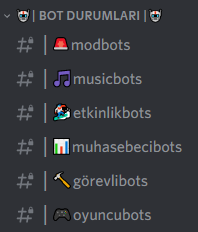
> There's no need to worry if the bots are down; a notification will be published by the developers shortly. You can check the channels under the 🤖| Bot Statuses |🤖 category to read these notifications.
>
> In these channels, you can also learn about notifications from the developers related to bots.
* Reasons for the bots crashing and when they will be fixed.
* Is it a planned offline event?
* Updates coming to the bots.
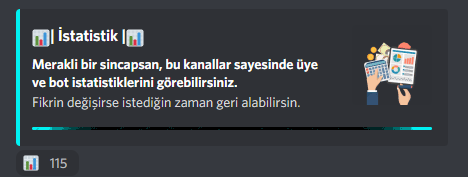
> If you want to make this category visible to you, you should click on the emoji in the statistics embed in the 👀│visibility channel.
{% hint style="info" %}
If you are a secretary, you do not need to obtain this role because this category is made visible to you along with your authority role.
{% endhint %}